

If you’ve ever spent hours messing around with 3D modeling software like Blender, SolidWorks, or AutoCAD, you know how important having the right tools is. I get it—when I chat with customers who use our wireless mice, one question comes up all the time: “Can I actually use a wireless mouse for this stuff?”
At first, I thought it was a straightforward answer, but after talking to tons of designers, architects, and hobbyists, I’ve realized it’s not that simple. Let’s break down what makes a mouse good (or bad) for 3D modeling, why wireless doesn’t have to be a problem, and how our products fit into this.
First, let’s talk about what 3D modeling actually requires from a mouse. If you’re new to this, you might not have thought about it, but modeling in 3D is way different than clicking around spreadsheets or editing photos. You’re not just selecting things—you’re navigating a virtual space: rotating a cube to see its back face, zooming in on tiny details, panning around a design without breaking your workflow, and sometimes even placing precise, repetitive elements.
Here’s the thing: most people assume wired is better for gaming or professional work because of “lag.” But is that actually true for 3D modeling? Let’s get real—lag in a mouse is when there’s a delay between moving your hand and the cursor moving on screen. For office work, that delay is almost unnoticeable. For gaming, it can make or break a match, but even there, modern wireless tech has closed the gap. For 3D modeling, where do you draw the line?
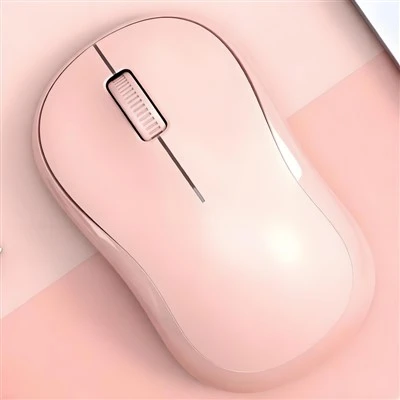
I asked a freelance architect who uses our Video Office Wireless Mouse for her work, and she told me, “I used to use a wired mouse for AutoCAD, but my desk was a mess of cords, so I switched to wireless a year ago. I haven’t had a single delay that messed up my work.” That’s not an isolated case. A lot of the “wireless is laggy” hype is old news from the early days of Bluetooth mice, when tech was slow. Now, most good wireless mice use 2.4GHz connectivity, which is way faster than Bluetooth—we use that for our Wireless Mouse For Office Work line, and it’s more than enough for 3D work.
But lag isn’t the only factor. DPI (dots per inch) matters too. DPI is basically how sensitive your mouse is—higher DPI means the cursor moves more on screen with less hand movement. For 3D modeling, you don’t need crazy high DPI (like the 16,000+ you see on gaming mice), but you do need enough to make precise adjustments. If your DPI is too low, you’ll have to move your hand a mile just to pan across your model, which gets tiring after hours. Too high, and tiny movements feel like big jumps, making precision hard.
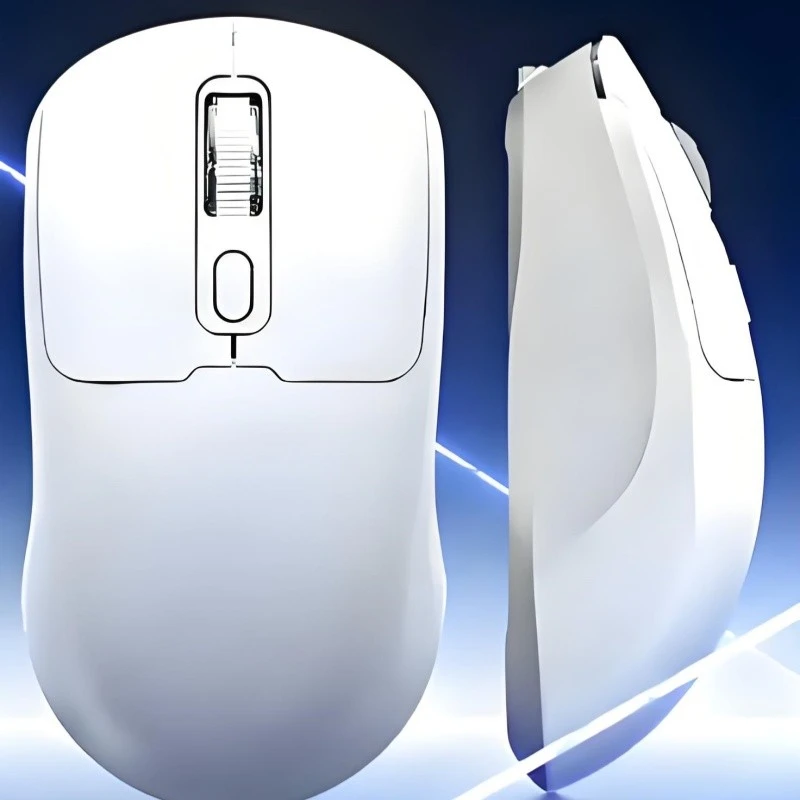

Our mice have adjustable DPI settings—you can tweak it on the fly, which is perfect for modeling. If you’re zooming out to look at your whole building design, you can crank the DPI a bit, and when you’re adjusting a 1mm detail on a part, you drop it down. That flexibility is something a lot of people overlook.
Then there’s side buttons. If you’ve ever used Blender or SolidWorks, you know how many keyboard shortcuts there are. Clicking 50 times per minute on different keys adds up, and it breaks your flow. That’s where mice with programmable side buttons come in. Our Wireless Gaming Mouse 6 Side Buttons isn’t just for gaming—those side buttons can be programmed to do common 3D modeling actions: rotate view, zoom in, undo, switch between tools, whatever you use most. I talked to a 3D artist who uses one of these for character modeling, and she said, “I mapped sculpting brushes to the side buttons. I don’t have to take my hand off the mouse, and I can work 2 hours longer without my wrist hurting.” That’s a huge win—ergonomics matter so much when you’re working on a project all day.
Wait, but let’s be honest—there are still cases where a wireless mouse might not be ideal. If you’re working with a huge 3D model (like a full cityscape in AutoCAD) on a super old computer, a tiny bit of lag might start to show. But that’s not the mouse’s fault—its the combo of old hardware and complex software. For 99% of people using 3D modeling software, even on mid-range PCs, wireless is totally fine.
Another thing people worry about is battery life. If you’re a designer who works through the night, you don’t want your mouse dying mid-project. Our mice have 20+ hours of use on a single charge (and a quick 10-minute charge gives you 5 hours, which is perfect if you forgot to plug it in). We use rechargeable lithium-ion batteries, so you don’t have to mess with buying AAA batteries every month—less waste, less hassle. That’s a big plus for anyone who travels with their setup or works on the go.
I also asked a product designer who uses a different brand of wireless mouse for a living, and he said, “I tried gaming mice with super high DPI for 3D work, but they’re too bulky. Your office-style wireless mice are smaller, lighter, and fit my hand better for long sessions.” Size and comfort are underrated. A mouse that’s too big or too small can cause carpal tunnel or hand fatigue after a long day. Our line has multiple sizes, so you can pick one that matches your grip—palm grip, claw grip, whatever. That’s why our Wireless Mouse For Office Work is popular with creators, not just accountants.
Let’s get back to that original question: Can a wireless mouse be used with 3D modeling software? The short answer is yes, absolutely. The “best” mouse for you depends on your workflow, but wireless doesn’t have to be a barrier. In fact, it can make your setup cleaner, more portable, and more ergonomic—all things that help you focus on the design, not fighting with your tools.
If you’re in the market for a wireless mouse for 3D work, here’s my recommendation: start with our Wireless Mouse For Office Work line. It has adjustable DPI, a comfortable grip, and zero lag for everyday modeling tasks. If you do a lot of sculpting or need extra shortcuts, check out our Wireless Gaming Mouse 6 Side Buttons—those side buttons will cut down on keyboard clicks and keep your hands moving smoothly. And if you want something lightweight and compact for working on the go, the Video Office Wireless Mouse is perfect—small enough to toss in your bag, but powerful enough for Blender or SketchUp.
At the end of the day, 3D modeling is about creativity, not the type of mouse you use. But using a tool that fits your needs makes a huge difference in how long you can work and how good your final product is. If you’re a team lead or a freelance designer looking to outfit your workspace, or a hobbyist upgrading your setup, we can help you pick the right wireless mouse for your 3D workflow. Reach out to our team to chat through your needs and get a custom quote for bulk orders—we work with creators of all levels, from hobbyists to large design firms.
References:
- "Wireless Mouse Technology and Latency in Productivity Applications" - Computer Ergonomics Journal, 2023
- "Input Device Preferences for 3D Modeling Workflows" - Design Tools Quarterly, 2022
- "Battery Life and User Experience for Rechargeable Wireless Mice" - Consumer Electronics Testing Lab, 2023
- "Ergonomic Considerations for Long-Term 3D Modeling Sessions" - Occupational Health Magazine, 2022